Preface Link to heading
Do you live in a house with no Ethernet wiring? Do you have an old broken laptop that you’d like to salvage parts off of? Do you have a desktop that could use wifi, but wifi chips are too damn expensive?
If you answered ‘yes’ to all the questions above, then keep reading more to learn how I (and hopefully you!) saved money by salvaging a wifi chip from a broken laptop.
Introduction Link to heading
The tale begins when I was about to leave for Australia for my higher studies. I used to own a pretty badass PC with a 10th gen i7, 32GB of RAM, RTX 3070 and a bunch of networking cards for learning VLANS and other networking related things. This thing was a beast. It ran Proxmox and passed through the intel iGPU to a Linux VM and passed through the RTX 3070 to a Windows VM. Now, this is a pretty complicated setup because you cannot actually access the Proxmox OS without networking. What I mean is that you need SSH or the Proxmox web GUI to be able to manage this setup, if the networking stack goes down for any reason, you cannot access the shell because well, that intel iGPU is basically invisible to the OS!
I could not leave such a complicated setup with my family. I could try and manage it remotely, but I would not be able to debug any issues in case Proxmox decided to push a bad update which borked the network stack. My dad was the one who actually introduced me to Linux, but in this case I decided that Windows was a better choice if I wanted him to have a good experience.
The problems begin Link to heading
At this point I installed Windows and also had set up an alternate user with Tailscale installed in case I wanted to remote into the system. However, I had failed to realize that the OS was going to be the least of my problems in this transfer. My family decided they wanted the system to not be in my room, but in the living room. The issue with such a move is that the WAN for our house entered from my room and basically ended there. Since we were renting the place, we were not allowed to drill any holes for Ethernet wiring.
In any case, everyone decided that my old room was going to be used as a guest room and that I had to move my PC to the living room. And so, I moved the whole thing without the networking bits to the living room.
But my puter! Link to heading
No matter how powerful and amazing your computer is, it is basically useless if it isn’t connected to a network. Soon everyone realized the same thing. Even though my dad wanted to use the PC for running some Excel voodoo, he could not be bothered to copy and paste files from another computer only to process them on this one.
Similarly for me, I wanted to be able to access this thing using which I could basically emulate an entire Active Directory environment. For those who don’t know, AD environments are the prime targets for hackers and it would be my job to secure such environments if I get good enough at it.
Enter WiFi Link to heading
So at this point, we realized that we would need a WiFi chip that we could slot in one of the M.2 slots that supports a Wifi card. If you find something like this in your motherboard manual, then your motherboard probably supports this as well.
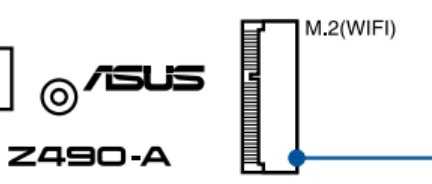
The only problem is that good Wifi chips are expensive in India. I would have spent the money, but I had an amazing idea.
Time for a screwdriver! Link to heading
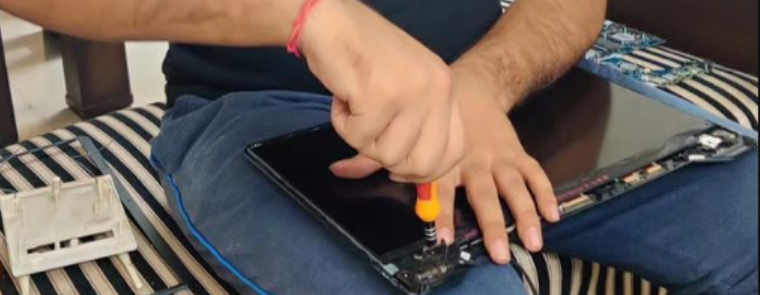
I used to have a laptop whose motherboard essentially fried itself (thank you asus) and I wondered if I could salvage the Wifi chip. And so, I opened it up, pulled out the wifi card, plopped it onto the PC motherboard and voila! Now, the chip works, however its not that easy - you also need a good antenna if you want to have any range. Laptops actually use the screen assembly as antennas! This way even though your laptop does not have huge antennas sticking out of it, it is able to pick up wifi signals.
I pulled out the Rx/Tx wires from my laptop and plugged them into antennas from an even older wifi router. This is an image of me opening up the display housing of my laptop. It houses the connector wires that plugged into the wifi chip.
The image below actually shows the wifi chip that is plugged into the motherboard along with the black and white wires that I extracted from the laptop’s display housing.
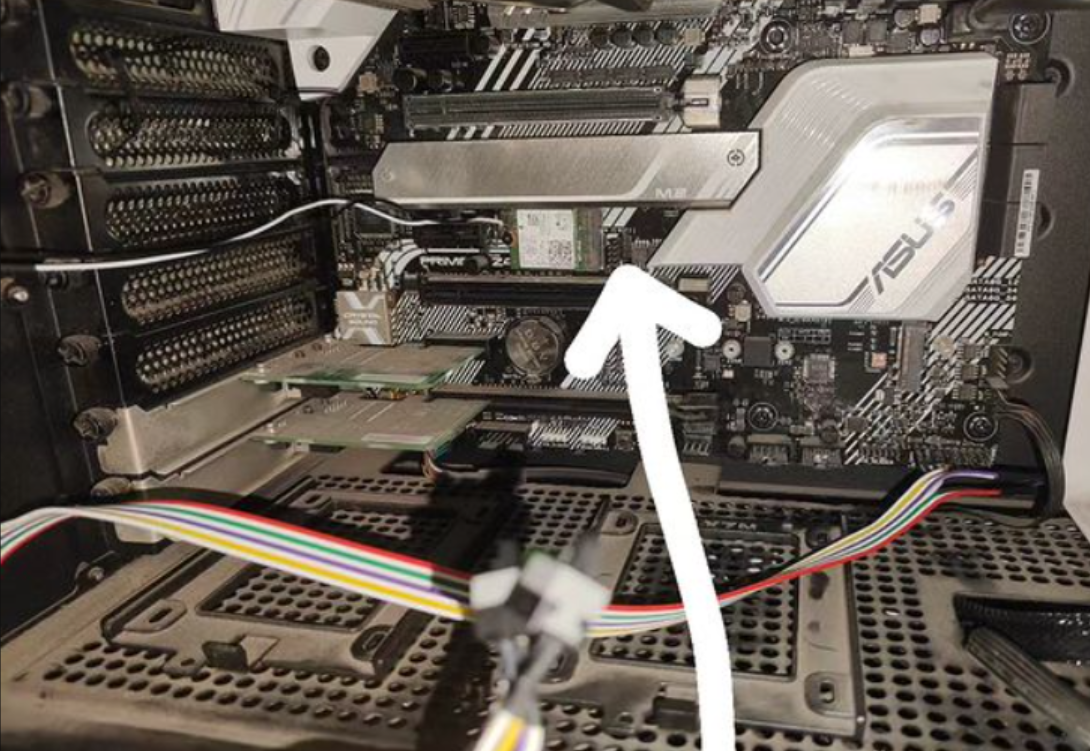
(Before you say anything about the dust, know that I tried lol)
The eagle eyed amongst you might have noticed some wires that are connected to the power pins. I actually had previously managed to break the power button of my case somehow. I had enabled wake-on-lan for the motherboard which worked for me, but it didn’t make sense to ask my family to set that up on their smartphones, so this was my solution.
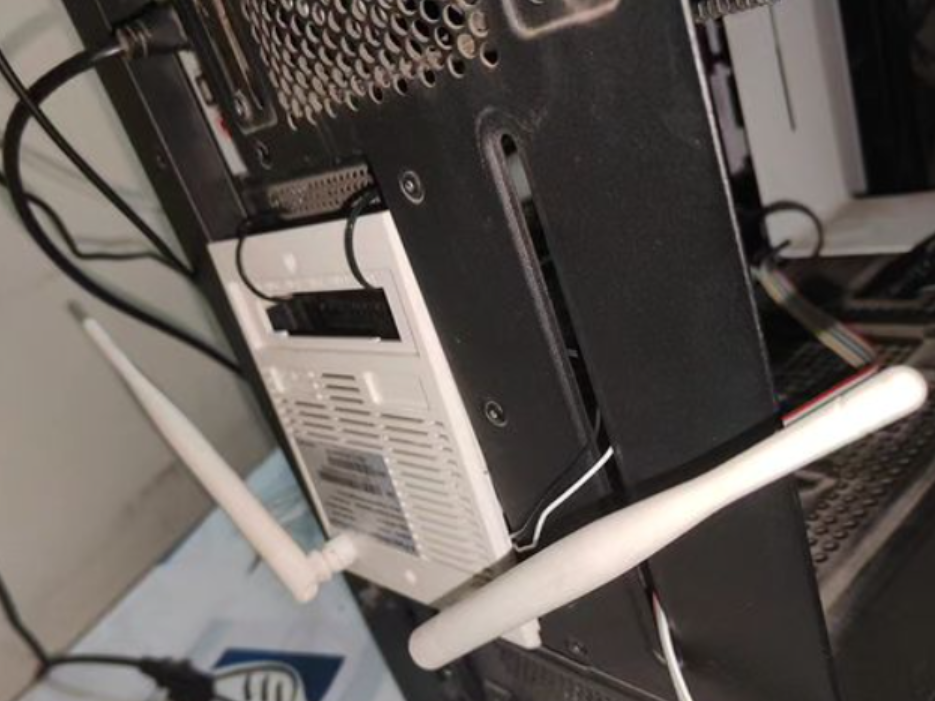
Finally I zip tied part of an old router to the PC and connected its antennas to the wires coming from the wifi chip. Yes, it looks dumb and yes, it works.